v1.0.1 out now

A thinking toolkit for the AI era

A desktop diagram tool where every stroke is drawn by hand. Each mode carries its own notation, so the diagram argues back when the thinking is wrong.

Lifetime licence · 3 devices · Free updates · macOS and Windows
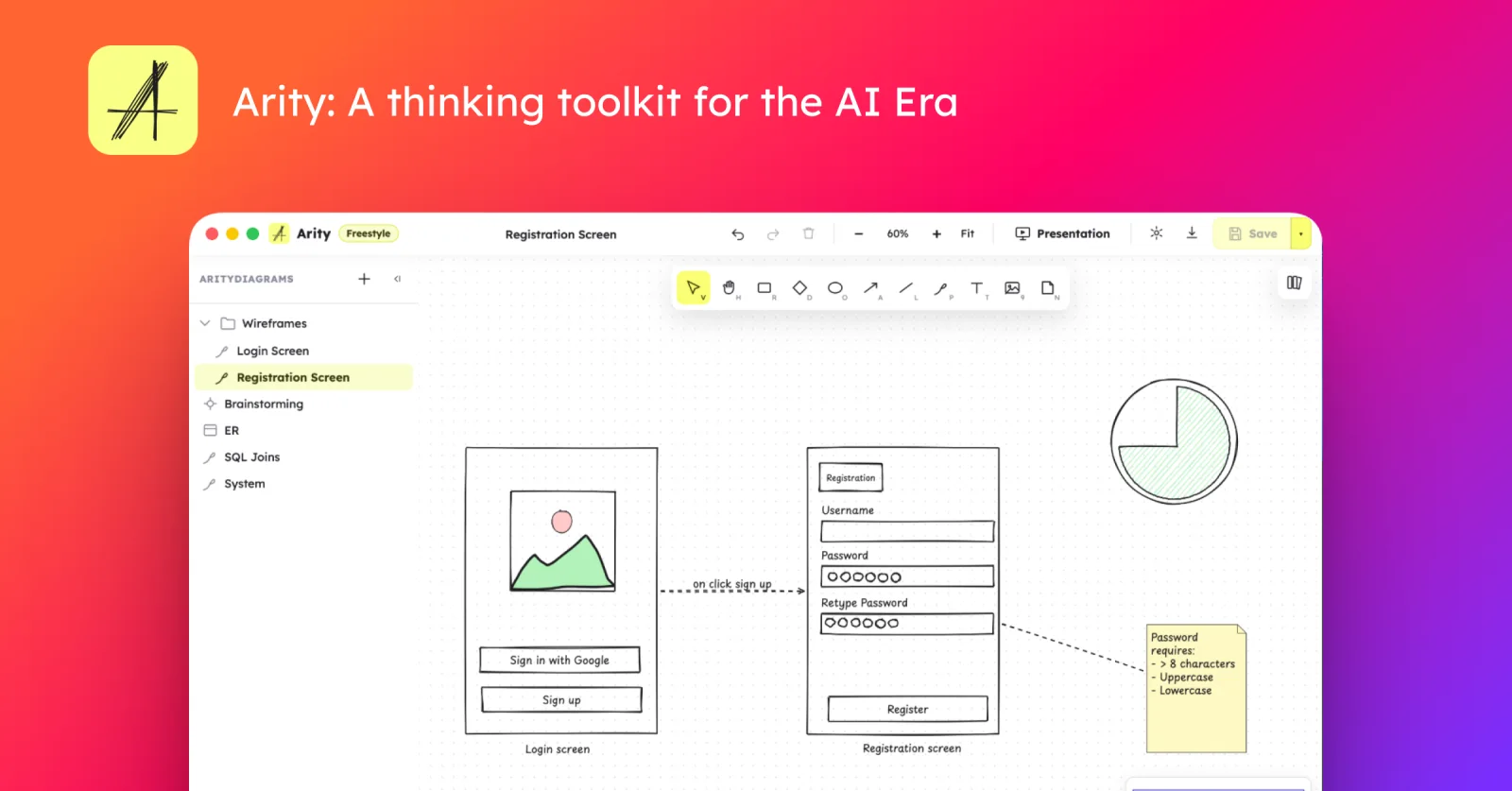
Arity showing a wireframe flow: a login screen and a registration screen connected by a labelled arrow, with the diagram explorer on the left
5

diagram modes, each with its own rules

4.4 MB

the whole app, installed

3

devices on one lifetime licence

the five modes

Five ways to draw, five sets of rules

Every diagram below was drawn by the app's own renderer, on this page. None of them is a screenshot.

Flow chart mode. The yellow hatch is a fill style, not an image.

Flow chart

Terminals, processes, decisions and I/O, wired into a path that can be followed.

What it will not let you draw

  • A decision has exactly two ways out. Three is a bug.
  • One Start, one End, and every node reachable between them.
  • An arrow with a loose end is marked, not tolerated.

why the lines wobble

A finished-looking diagram stops the thinking

Once a diagram looks decided, people defend it instead of questioning it. Arity draws every shape the way a hand would, so the page keeps admitting it is a draft - and a draft is the thing people are still willing to tear up.

  • Roughness is a dial with three stops, not a theme you commit a file to.
  • Fills are hatched in strokes, the way a pen shades.
  • The hand font is the default, with a sans and a mono for diagrams read cold.

Same rectangle, same tool. Only one of them invites you to move it.

live validation

The diagram argues back

Draw a second arrow out of a process and you have drawn a step that continues in two directions at once. Arity checks the whole diagram on every change: the node goes red, the panel names the problem, and nothing is blocked or auto-corrected.

Issues · 3
  • Process "Charge card" must have exactly 1 outgoing arrow (has 2)
  • Missing a Start terminal (no incoming, at least one outgoing)
  • "Send receipt" cannot reach an End

small, quick, and yours

4.4 MB of app. Nothing phoning home.

A native app, not a web app in a window: it installs in less space than a photo and opens without a splash screen. Opening a diagram is opening a file - there is no workspace to sync.

Download and time it yourself
checkout-flow.arityon your disk
{
  "type": "arity",
  "version": 1,
  "diagramType": "flowchart",
  "elements": [
    { "type": "diamond", "x": 166, "y": 190,
      "text": "Valid?", "roughness": 1, "seed": 8214 }
  ]
}
Where do my diagrams live?
In a folder you picked, as .arity files - JSON you can read, diff and commit.
What does it send?
A licence check and an update check, once, at startup. Never a file, never a name.
Does it work on a plane?
Entirely. Drawing, saving, exporting and presenting are all local.

Present from a second window, not a screen share

Drag the presentation window to the projector. The room sees the diagram and your pointer - never your toolbars, your file tree, or your notes.

Buy Arity - $29.99

One price. Yours to keep.

Buy once, including every update. Stop paying attention to us and nothing stops working - your diagrams are files you already have.

Lifetime licence
$29.99one payment
  • One licence, 3 devices - your laptop, your desktop, and one more
  • All five diagram modes
  • Presentation window for projectors
  • PNG export at any resolution
  • Free updates, delivered in-app
Buy Arity

Your licence key arrives by email. Activate it in Settings → License, on up to 3 machines - release one whenever you want the seat back.

Try it before you buy

The download is the full app. Unactivated, it keeps three diagrams per folder and marks the presentation window.

macOS:
Universal · Apple silicon and Intel
Windows:
64-bit · Windows 10 and 11
Linux:
Coming soon